
Telonics Data Converter
Telonics Data Converter (TDC) is used to convert raw data from Telonics transmitters into data reports and to display locations on Google Earth and Google Maps. You can review TDC reports in any spreadsheet program, such as Microsoft Excel, and you can also use your own custom software to process reports electronically. Location data exported to Google Earth can viewed there and can be saved as "kml" files and used in other mapping programs. TDC maintains a list of your transmitters and their data-conversion settings so you can generate new data reports efficiently throughout your study.
TDC supports Telonics' GPS units (Iridium, Globalstar, Argos, store-on-board, and spread-spectrum), Argos-only (no GPS) transmitters, and VHF transmitters with data-logging options.
Telonics Data Converter works in concert with Telonics Product Programmer (TPP) to provide you with complete control over your transmitters and your data. TDC retrieves all required data-conversion settings for your transmitters from the TPP Parameter File(s) used to program them. Any programming changes you make using TPP become available to TDC directly through the parameter files.
Telonics Data Converter converts raw data and creates reports (formatted as comma-separated values, CSV) from the following sources:
- Argos files in Full DS format (.ds) or Argos Web Services files (.aws)
- Iridium files (.idf)
- Globalstar data
- Datalog files as stored in a unit (.tdf)
- Spread-spectrum files (.tsf)
- Uplink Receiver log files
- An Uplink Receiver directly connected to the PC
In addition to converting raw data, TDC also performs the following tasks:
- Download programming parameters from a unit (.tpf files)
- Download data from a unit (.tdf files)
- Erase data from a unit
- Download Iridium data from a dedicated email account
- Download data over a spread-spectrum link
- Download data from Argos Web Services
- Log messages from a connected uplink receiver
Screenshots
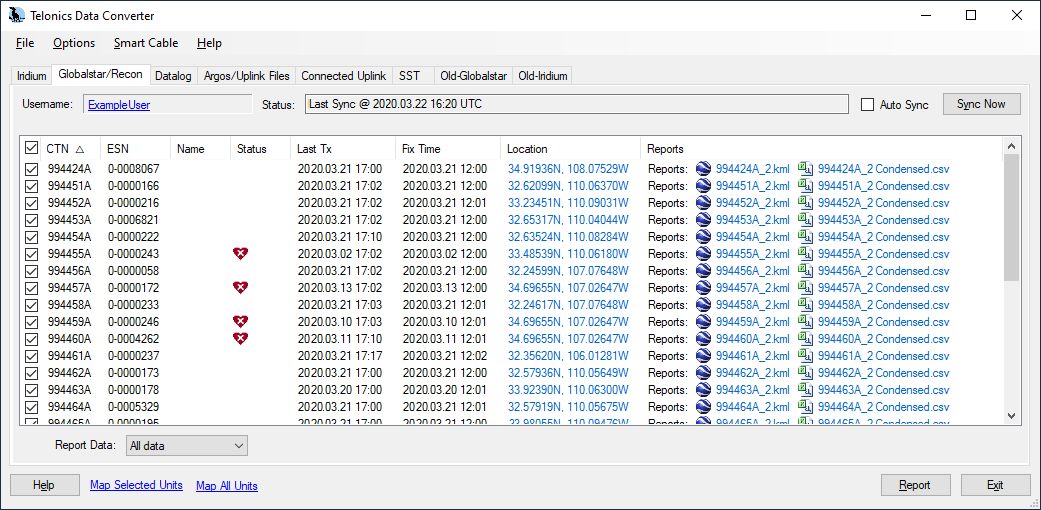
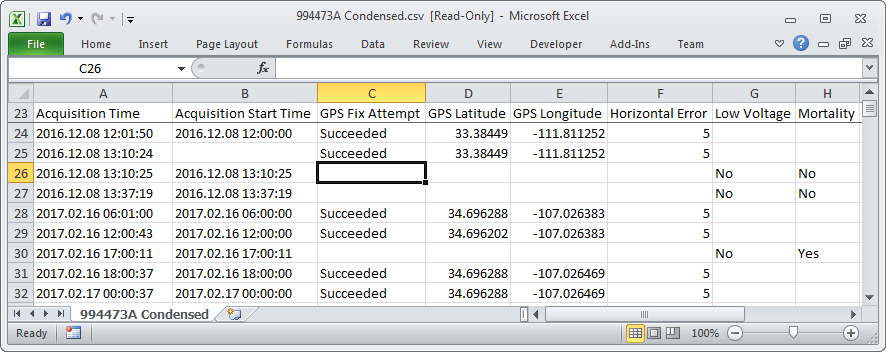
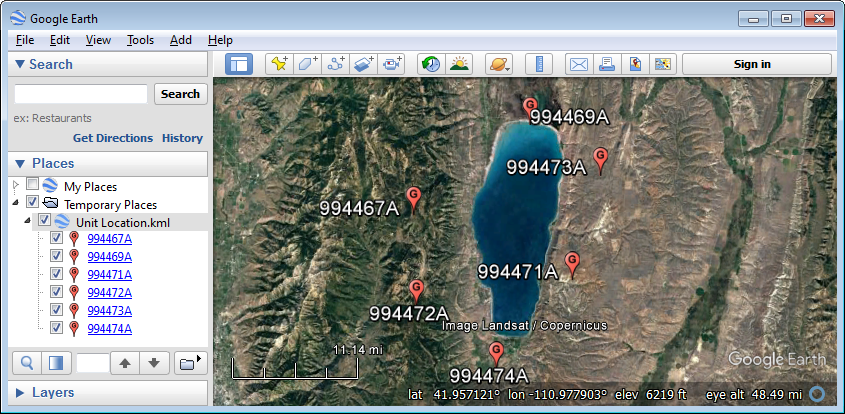
Download
Telonics Data Converter requires an authorization code for complete functionality. Without an authorization code, TDC operates in demonstration mode. Demonstration mode prevents you from generating reports, logging uplink messages, and communicating with your transmitters. You may install and evaluate TDC before purchasing a license and corresponding authorization code. TDC will assume complete functionality when you enter your authorization code in the Help->About window.
Download v3.13, 2026.04.13 (setup-TDCv3.13.exe 15,247,200 bytes)
Driver Installation Instructions
If you would like to see reports that TDC generated, you may download the following sample reports:
Sample Report for Argos Transmitter
Sample Report for GPS Transmitter
Purchasing TDC
When you purchase Telonics Data Converter, you receive an authorization code that enables TDC support for specific Telonics product models. Listed below are the authorization codes currently available. TDC will not convert data for models that you are not authorized or licensed to use. If you require TDC support for additional Telonics product models, you must purchase an additional authorization code or upgrade to the authorization code that supports all models. However, you won't need to download or install additional software. Please contact Telonics for pricing.
| Authorization Code | Supported Models |
|---|---|
| TDC-GPS | All Gen4 GPS models: Store-On-Board, GPS-Argos, Spread Spectrum (SST), Globalstar, and Iridium |
| TDC-RECON | GPS-RECON (Globalstar) models only |
| TDC-ARGOS | Argos transmitters (without GPS) |
| TDC-VHF | MK-11 & MK-12 VHF transmitters with data logging options |
| TDC-ALL | All models as listed above |
System and Hardware Requirements
Configuring Argos Services
Telonics Data Converter requires specific Argos processing options. Before your deployment begins, please contact Argos and request the following settings for your Argos Technical File:
- 32 8-bit sensors for Argos IDs less than 32768; 31 8-bit sensors for all other Argos IDs (including new IDs).
- Message length is variable, so length should not be checked.
- Decimal/A1 (recommended) or Hexadecimal/A2 formatting.
Telonics recommends that you use ArgosDirect (formerly known as Argos Automated Distribution Service or ADS) to receive your data. When you contact Argos, please request ArgosDirect service with the following settings:
- Select the "DS" data format, which includes all validated locations and all messages collected by all satellites.
- Select the "Attached text file (.txt)" output format.
- You may optionally choose to have your data "compressed".
- Do not request data encryption.
- Select email as your delivery option and specify an email address.
Version History
2026.04.13 What's new in version 3.13?
- Supports new models and firmware.
2026.04.08 What's new in version 3.12?
- Supports new models and firmware.
2026.03.16 What's new in version 3.11?
- Fixes a bug that had prevented some international users from downloading Argos data.
Related Products
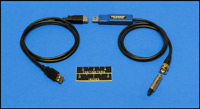
The TSC-9A is a multi-use interface cable terminated with a USB A connector and a male BNC (bayonet style) connector. The cable is used to connect various Telonics products to a computer when using Telonics Product Programmer (TPP), Telonics Data Converter (TDC), or the CR-2a BCP-2 programming software. The BNC connector allows quick and easy attachment of various adapters.
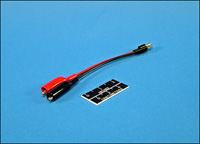
Female BNC to alligator clips for use with the TSC-9A cable. This adapter is used for systems where programming/download connections are made using the antenna tip or saltwater switch buttons.